
Common Smartwatch Mistakes New Users Make (And How to Fix Them)
A new smartwatch arrives fully charged and eager to tell you things. Within a week, plenty of people are quietly ignoring it — the wrist buzzing constantly, the strap leaving a mark, the sleep score reading "58" after a night they thought went fine. None of these problems come from bad hardware. They come from four setup decisions almost everyone makes the same way.
Leaving every notification switched on
Out of the box, most watches mirror whatever your phone allows. That is fine for a day. Then the retailer emails, the group chats and the calendar reminders all land on your wrist, and the watch becomes a source of noise rather than information. The cure is a single ruthless pass through your notification settings.
- Open the companion app on your phone and find the notification section. Turn off everything you would not act on within the hour: shopping apps, news alerts, social feeds, delivery updates.
- Keep the short list that genuinely needs a fast reply — calls, messages from real people, calendar appointments, one work tool at most.
- Mute group chats individually. Most platforms let you silence one conversation without losing one-to-one messages.
- Disable "wake screen on notification" or prominent haptics if the buzz itself is the annoyance. You still get the alert in the notification tray; it just stops tapping you.
Ten apps with permission is a reasonable ceiling. Fewer alerts means you actually look when something arrives — which is the entire point of wearing a watch instead of checking a phone.
Wearing it like a bracelet instead of a sensor
A loose watch is not just uncomfortable. It is a measurement problem. The optical heart rate sensor underneath needs steady, even contact with your skin, and every gap between the sensor and your wrist becomes a gap in the data — that is where oddly low heart rates and missing readings during workouts usually come from.
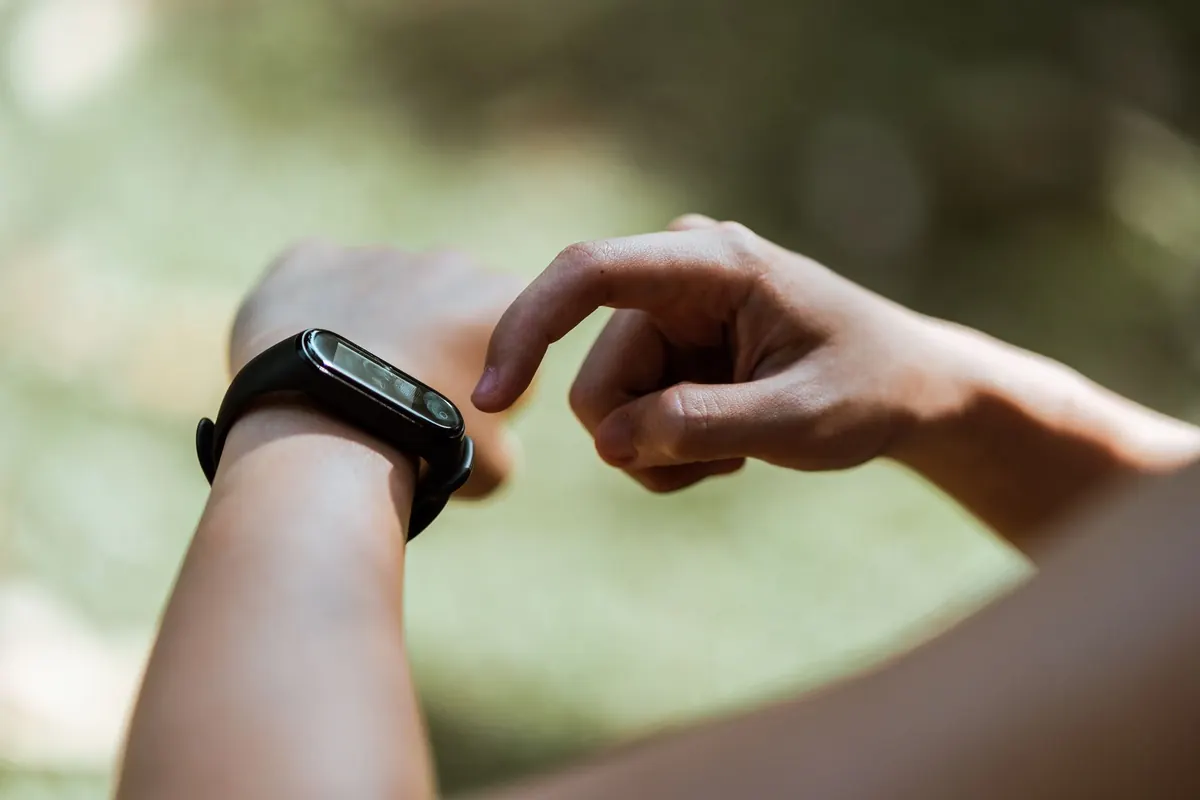
Check three things. The watch should sit about a finger's width above the wrist bone, not on top of it. The band should be snug enough that the watch does not slide when you shake your arm, but loose enough that you can slip one finger underneath — not two. And the sensor should leave a light imprint, not a red dent.
If the stock strap fights your wrist shape, change it. A nylon or fabric band often sits better for sleep tracking and exercise than a stiff silicone one that you have to overtighten. During a run or a weights session, take the band in a notch; loosen it again afterwards. If readings still drop out over tattoos or very hairy patches on the underside of the wrist, try the other wrist.
Treating sleep scores as lab results
Wearables estimate sleep from movement and heart rate patterns. A sleep clinic measures brain activity. Those are different tools, and the watch is the cruder one, so treat the stage breakdown — deep, light, REM — as an estimate and the total time asleep as a rough guide.
What you can fix is the input. Wear the watch snug on your non-dominant wrist overnight. Charge it in the morning while you shower rather than keeping it on a charger all evening, so it is ready to track. Set a bedtime and wake time in the app; most algorithms use them to make sense of the night. And accept that watching television in bed or reading for an hour can register as sleep — the watch sees stillness, not closed eyes.
One bad night means very little. A run of bad ones, especially alongside snoring, gasping or genuine daytime exhaustion, is worth raising with a doctor rather than a forum.
Blaming the battery for your own settings
If a watch that used to last five days is now scraping through two, the settings are usually the culprit. Run through this list before you assume the battery is failing.
- Always-on display. It is the single biggest drain on most models. Turn it off, or schedule it for daytime only.
- Brightness. Manual brightness set high burns power constantly. Auto brightness is almost always better.
- Continuous sensors. Blood oxygen, stress tracking and constant heart rate monitoring all cost battery. Switch the ones you never look at to on-demand.
- GPS. Make sure it only activates during workouts. Some watches will happily keep a GPS session running if a workout was not properly ended.
- Third-party watch faces. Animated or data-heavy faces refresh constantly. Swap to a built-in face for a day and compare.
- Weak Bluetooth. If your phone is often in another room, the watch works harder to hold the connection.
Then check for a firmware update — battery regressions get fixed, and the fix only arrives if you install it. If drain continues after an update, a restart, and a switch to a simple watch face, a factory reset is the last sensible step before you contact support.
Setting it up once and walking away
The features people value most six months in are usually the ones they never configured. Take ten minutes to fill in your medical ID, turn on fall detection if your watch has it, and check that emergency contacts are correct. Set a sensible daily move goal rather than accepting the default. Choose which apps can run in the background, keep the rest from waking constantly, and revisit the list every few months — your habits change, and so should the watch.
Fix these four things first
Start with notifications, because they shape how you feel about the watch every hour. Then check the fit — it takes thirty seconds and improves almost every measurement you care about. Give sleep tracking a week of proper wear before judging it. And if the battery disappoints, change the display and sensor settings before you blame the hardware. Do those in order and the watch stops being a gadget you tolerate and becomes one you actually rely on.
Photo: Ketut Subiyanto / Pexels